LSDJ: an evening making music on a Game Boy
It all started on a Monday evening watching Les Sondiers, a weekly French live show about digital audio, DAWs and sound techniques. On the panel that night: Cyril from Makingsound, who talked about Tachy Bunker, an experimental musician he discovered at the Shadow Party, the demoparty near Paris where demoscene coders, graphic artists and musicians gather every summer.
Naturally, I went digging through the other videos on the Makingsound channel. And I stumbled on this one (in French):
Pouale and the Game Boy
Pouale is a French musician who makes chiptune… on a Game Boy. Not “Game Boy-style sounds”: on the console itself, with LSDJ. You can find his music on Bandcamp (the album Bunny Hop, the EP Last Trip) and, icing on the cake, he even shares the LSDJ project files of his tracks on his website. Perfect for figuring out how it’s done.
In the interview, he shows how he starts a track, step by step. And it makes you seriously want to give it a go.
What is LSDJ?
Little Sound Dj (LSDJ) is a Game Boy sequencer/tracker developed by Johan Kotlinski in the early 2000s. It drives the 4 channels of the console’s sound chip: two pulse (square) voices, one wave voice (programmable waveform) and one noise voice. On top of that you get sample playback, waveform synthesis and even speech synthesis. It’s used by hobbyists and renowned video game composers alike.
The ROM and manual can be downloaded from the official website, with the option to support development through a donation. The site itself recommends an emulator as the easiest way to get started.
From the video to the handheld
Once the video was over, I grabbed my RG36 Pro, fetched the LSDJ ROM, copied it onto the SD card, launched the Game Boy Color emulator… then LSDJ. Five minutes later, I was looking at the start screen.
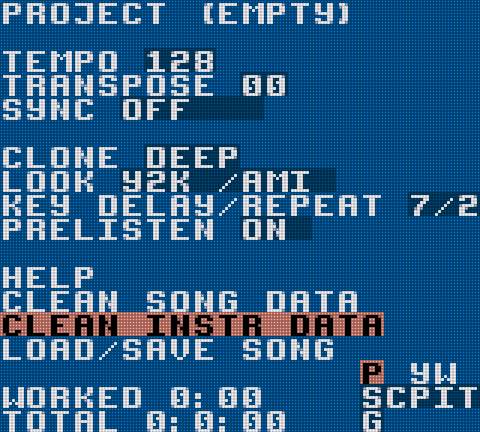
I know trackers on the Atari, but on the Game Boy’s tiny screen it’s much more austere: columns of hexadecimal, a few letters, and that’s it. No mouse, no keyboard: everything goes through the D-pad and four buttons.
A bit of reading in the manual to understand the navigation:
- Select + arrows: move between screens (Song, Chain, Phrase, Instrument, Table…);
- A: enter a value, A + arrows: change it;
- B + A: delete;
- Start: play / stop.
The structure is hierarchical: phrases (16 steps of notes) are strung together in chains, and chains are placed in the song, on each of the 4 channels. Once you get that principle, everything falls into place.
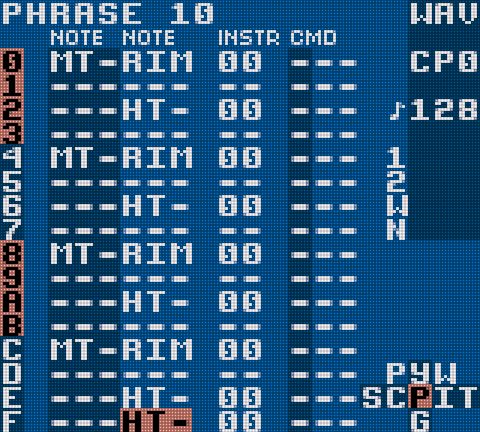
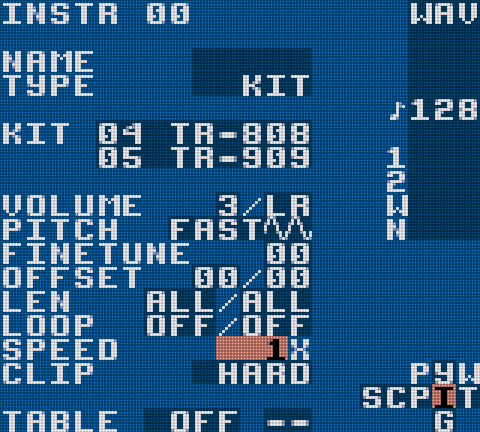
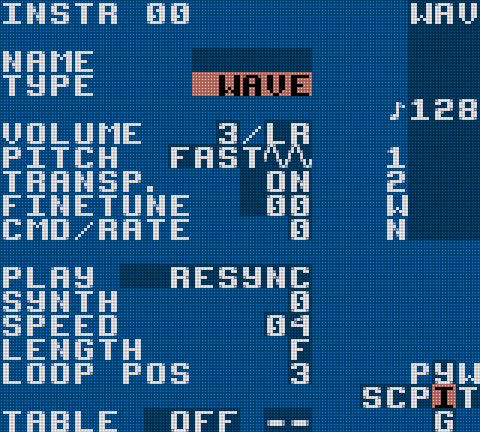
I watched the video again to follow how Pouale starts his track, reproducing the steps on my handheld. And I spent a good hour playing around with LSDJ, tweaking sounds: a bass line on the wave channel, a kick and a hi-hat with the noise channel, a few arpeggios on the pulses…
Verdict
It’s really, really cool. There’s something exhilarating about making a 1989 machine sing through such a minimalist interface, held in your hand, anywhere. The constraints (4 voices, 4 bits, a 160×144 screen) force you to focus on the essentials, and that’s exactly what makes it addictive.
Thanks to Les Sondiers, to Cyril from Makingsound and to Pouale for the discovery. I don’t think I’m done tinkering.
Links
- Les Sondiers — the Monday evening show (website)
- Makingsound — Cyril’s channel
- Composer sur Game Boy avec LSDJ (tracker) | Avec Pouale — the interview (in French)
- Pouale — his website, and his music on Bandcamp
- Little Sound Dj — the official LSDJ website (ROM + manual)
- Tachy Bunker — the musician discovered at the Shadow Party
- Shadow Party — the demoparty